

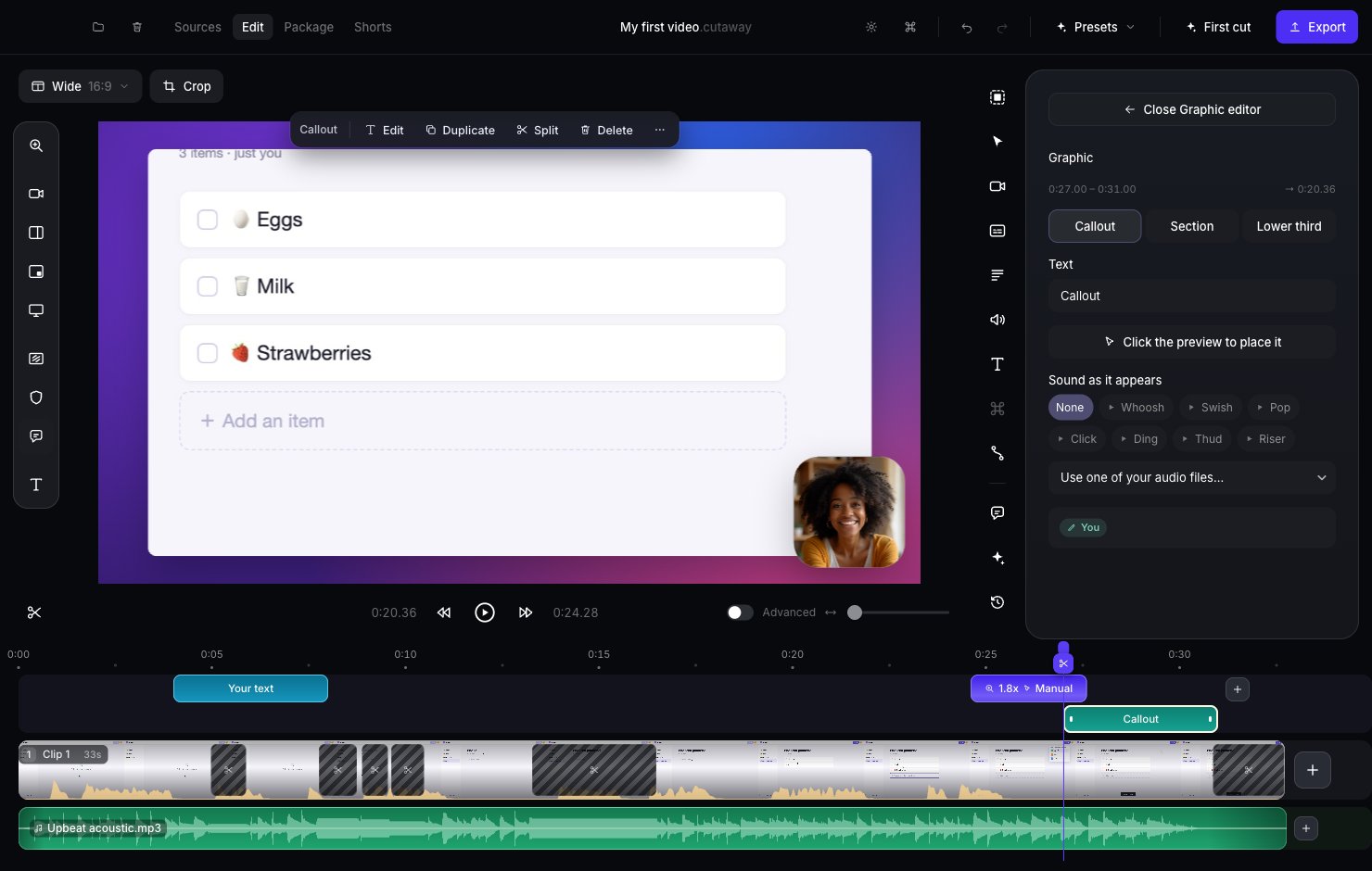
Add a callout
1
Go to the moment
Click the timeline where the callout should appear.
2
Add it
Click the speech bubble in the tools on the left of the preview. A green Callout block appears on the timeline.
3
Write your words
In the panel on the right, type in Text.
4
Place it
Press Click the preview to place it, then click the spot on the preview.
Other styles
At the top of the panel you can switch between:- Callout: a small label.
- Section: a banner to start a new part of your video.
- Lower third: a label near the bottom of the screen.